
Introduction: When the Tablet Becomes a Battleground

It starts innocently enough: a five-minute video while you finish dinner, an educational game to keep them busy on a rainy afternoon, or a quick swipe through a story app while you make a cup of tea. But soon, five minutes becomes thirty, thirty becomes an hour, and the gentle “just one more” turns into a battle cry at bedtime.
If you’ve ever wrestled a tablet out of sticky little fingers or wondered if you’re failing at “digital parenting 101,” you are far from alone. Screens are everywhere — at home, in cafes, in classrooms, and even in the hands of toddlers before you can say “touchscreen.” For parents of 3–8-year-olds, managing screen time often feels like walking a tightrope: balancing curiosity, fun, and learning with healthy limits, emotional regulation, and the constant tug of digital temptation.
The good news? Screen time doesn’t have to be a battleground. With gentle boundaries, playful alternatives, and smart tools, you can guide your child toward a healthy balance where digital play supports — not replaces — creativity, learning, and joy. Screens can sparkle without stealing the magic from childhood.
1. Why Screens Feel So Sticky

Screens are intentionally designed to capture and hold attention. Bright colours, fast-moving images, instant feedback, and looping videos stimulate the brain’s reward system. Each ding, pop-up, or animated sticker gives children a micro-dose of dopamine — a little spark of pleasure — which can make switching off feel like giving up a treasure.
Young children, especially those under eight, are still developing self-regulation skills. This means that while they understand “stop” in theory, their brains are not fully equipped to resist the pull of a glowing screen. Tantrums and meltdowns often emerge not from misbehavior but from a developmental mismatch: their brains are wired to want more stimulation, and screens deliver it in abundance.
Not all screen time is created equal. There’s a world of difference between:
- Passive screen use: endless scrolling, autoplay videos, or binge-watching cartoons. These are largely consumptive and may overstimulate attention.
- Interactive or educational screen use: creative apps, problem-solving games, or video calls with grandparents. These activities engage the brain, encourage curiosity, and can even support language, social, and emotional development.
The goal isn’t to eliminate screens — a modern impossibility — but to guide children toward mindful, purposeful use. Think of it like seasoning a meal: just enough to enhance flavor, but not so much that it overwhelms the dish.
2. Setting Gentle, Clear Limits

Healthy digital habits start with boundaries that are firm, consistent, and kind. Young children thrive on predictability. When rules are clear, and routines are familiar, screen time becomes less about conflict and more about structure.
Tips for Ages 3–5
- Follow the “one short session” rule: 15–20 minutes of quality screen time is enough at this age. Ideally, sit nearby to observe, interact, or even join in the game. Shared digital experiences can be surprisingly rich.
- Use timers or visual clocks: A visual countdown helps children anticipate the end of a session. Without warning, “Stop!” can feel abrupt and trigger a tantrum.
- Pair screen time with routine moments: For example, “After breakfast, you can play your game until the timer dings.” Linking screens to existing routines reduces arguments and creates predictability.
Tips for Ages 6–8
- Co-create a screen time agreement: Involve children in setting limits. Ask questions like: “When would you like to use your tablet?” or “Which apps should we play together?” Shared ownership increases compliance.
- Encourage “tech breaks” before screen use: After school, consider offering a snack, outdoor play, or quiet reading before screen time. Kids can reset and release energy before diving into digital activities.
- Tie screen time to responsibility: Simple rules like “Homework and play first, then 30 minutes of your app” teach delayed gratification and reinforce healthy habits.
Golden Rule: Avoid screens right before bed. The blue light emitted by tablets, phones, and TVs can disrupt circadian rhythms, making it harder for children to fall asleep. Bedtime is sacred for winding down, reading together, and enjoying calm connection.
3. Creating Screen-Time Rituals That Work
Boundaries stick best when wrapped in ritual. Kids respond to rhythm and predictability, and screen transitions are no exception. Rituals make endings feel safe, joyful, and expected rather than arbitrary or punitive.
- Countdown Ritual: Give a 5–3–1 minute warning before the session ends. Even young children need time to process the transition. This simple technique prevents sudden meltdowns.
- Goodbye Ritual: Like saying farewell at daycare drop-off, create a consistent “screen-off” routine. Wave goodbye to the app, clap your hands, and say, “All done!” Positive closure reinforces healthy boundaries.
- Swap Ritual: Pair ending screen time with something engaging: art, Lego, dance, or a quick outdoor game. Cold stops often backfire, but joyful transitions reduce conflict and promote flexibility.
Rituals, though simple, give children a sense of control, security, and continuity — essential ingredients for balanced screen use.
4. Best Educational Apps for Children (Ages 3–8)
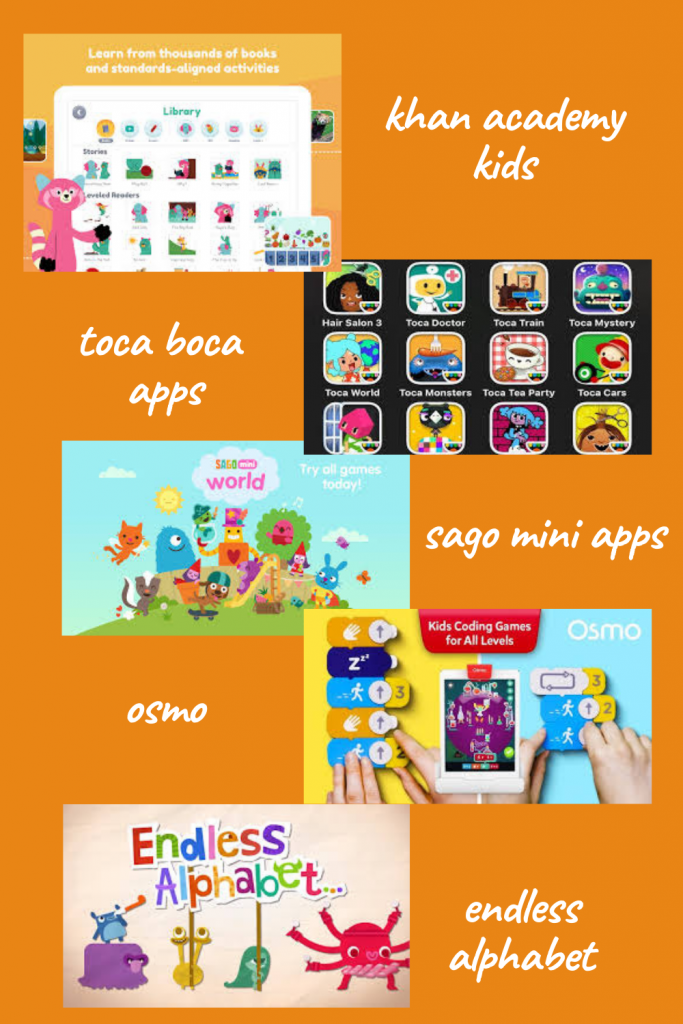
If your child will use screens, guiding them toward apps that spark creativity and learning is key. Here are some parent-tested favourites:
- Endless Alphabet (ages 3–6): Playful word puzzles that teach vocabulary while developing phonics.
- Toca Boca Series (ages 3–8): Open-ended creative play with cooking, building, and exploring.
- Khan Academy Kids (ages 3–7): Free, teacher-approved learning games spanning literacy, math, and social-emotional skills.
- Sago Mini World (ages 3–6): Gentle, silly imaginative play with a focus on exploration and storytelling.
- Osmo (ages 5–8): Blends physical play with digital learning through interactive tools, encouraging problem-solving and creativity.
💡 Pro Tip: Download and test apps yourself first. Safe apps for kids should be ad-free, simple to navigate, and free from sneaky in-app purchases. Familiarity also allows you to engage with your child during play.
5. How to Reduce Screen Time for a 5-Year-Old

Five-year-olds are often the trickiest age: old enough to demand screens, yet young enough to melt down when limits are set. Here are gentle, practical strategies:
- Routine Over Rules: Attach screen time to predictable, structured times, like “after snack” or “before dinner.” Predictability reduces resistance.
- Use Tokens: Offer two “screen tokens” a day, each representing 15 minutes. Let children choose when to “spend” them. This introduces choice and delayed gratification.
- Offer Playful Alternatives: A “yes basket” filled with quick, engaging activities like playdough, stickers, cars, or coloring books can gently redirect attention.
- Model Balance: Children learn from what they see. When they watch you reading, doodling, or enjoying music instead of endlessly scrolling, they internalize healthy habits.
The key is gentle consistency, patience, and celebrating small wins rather than focusing on conflicts.
6. Keeping Kids Safe Online
Even young children need guidance to navigate online spaces safely. Building safety habits early sets the stage for lifelong digital literacy.
Practical Safety Tips
- Use parental controls: Devices like tablets and phones often include built-in safety settings to limit content, screen time, or app access.
- Leverage digital parenting apps: Tools like Qustodio, Bark, or Family Link can monitor usage, block unsafe content, and offer reporting.
- Teach children early: Encourage them to speak up if a video or game feels “yucky” or confusing. Normalize open communication rather than secrecy.
- Keep screens in shared spaces: Bedrooms are for rest. Common areas provide natural supervision and limit excessive use.
By combining supervision, tech tools, and open communication, you help children navigate digital spaces safely while fostering trust and responsibility.
7. Balancing Digital with Real-World Play
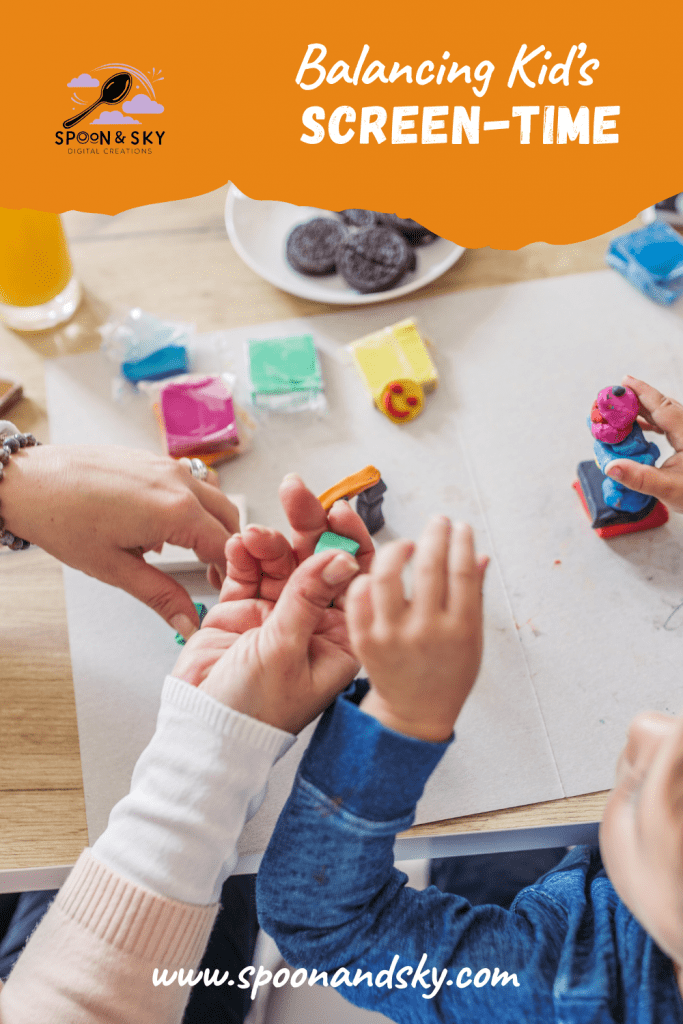
Screens are shiny, but nothing can replace the tactile, messy, imaginative play that develops brains, bodies, and social-emotional skills. Kids need mud pies, fort-building, running races, and painting more than high scores.
Ideas for Quick Swaps
- Dance Party instead of YouTube: 10 minutes of moving to music can release energy and spark joy.
- Building Blocks instead of a building game: Hands-on construction fosters problem-solving and creativity.
- Water Play instead of animation videos: Sensory exploration teaches cause and effect and engages multiple senses.
- Family Board Games instead of tablet games: Turn-taking, strategy, and cooperative fun strengthen bonds.
Even short bursts of real-world play satisfy the curiosity and engagement that often draws children to screens. Over time, these swaps can become habits that support a balanced, joyful childhood.
8. Reflection Prompts for Parents

Managing screen time isn’t about perfection. It’s about noticing what works for your child and family rhythm. Try reflecting with questions like:
- When does screen time feel like a help — and when does it feel like a battle?
- What do I want my child to remember most: the shows they watched or the forts we built together?
- How do I model healthy digital use in front of my kids?
- Which times of day naturally suit screen use, and which are better reserved for active, creative play?
Reflection allows for gentle adjustments rather than reactive rules. It also helps you acknowledge your own limits and needs as a parent.
9. Why Healthy Screen Habits Matter
Balanced digital use teaches children valuable life skills:
- Self-Regulation: Learning to pause, transition, and switch activities gracefully.
- Safety: Understanding how to navigate online spaces wisely.
- Creativity: Using screens as a tool, not a crutch.
- Connection: Prioritizing real-life relationships over digital interactions.
By fostering these habits early, you equip children to enjoy screens responsibly while thriving in the real world.

Conclusion: Screens With Sparkle, Not Struggles
Screens aren’t the enemy. They’re simply tools — and with gentle guidance, they can become part of a rich, balanced childhood. By setting limits, choosing safe apps, and sprinkling in plenty of real-world play, you’ll teach your child one of life’s most important lessons: balance.
So next time your child pleads for “just one more video,” you can smile, pull out your goodbye ritual, and trust that you’re planting the seeds of digital wisdom — all while nurturing creativity, joy, and connection.
With sticky fingerprints on the tablet screen and a basket of board games waiting,
Lily


✨ Get Your Free Printable ✨
Looking for a simple way to bring a little more calm, structure, or creativity into your day?
Enter your email below and get instant access to your free printable from Spoon & Sky — made to spark joy, imagination, and gentle rhythms at home. 🌿
We’ll send your printable and a few kind, helpful ideas to your inbox. No spam — just calm, creative family tools.
Leave a Reply